

In the digital age, website speed plays a critical role in user experience and search engine ranking. A fast website ensures that visitors stay longer, interact more, and convert better. One of the most effective ways to enhance your site’s speed is by using a caching plugin. This comprehensive guide will explore the best WordPress caching plugins available today, providing detailed insights and comparisons to help you make an informed decision.
What is Caching and Why is it Important?
Caching is a technology that stores copies of files or data in a cache, or temporary storage location, so that future requests for that data can be served faster. For websites, caching means storing parts of your website’s data temporarily in various locations to reduce loading times. This process significantly boosts website performance and user experience. Understanding caching and its importance is the first step towards optimizing your WordPress site.
Caching reduces the time required to fetch the data from the original source by serving the stored data directly from the cache. This method not only decreases page load time but also reduces the server load, allowing it to handle more traffic. For WordPress sites, caching can involve storing static HTML versions of pages and posts, database queries, and other elements that don’t change frequently.
How Caching Works in WordPress?
In WordPress, caching works by storing static copies of dynamic content. WordPress generates dynamic content for every page request, which involves numerous database queries and PHP execution. This process can be slow, especially on high-traffic sites. Caching plugins create static HTML pages and serve them to users, bypassing the need for repetitive database queries and PHP execution.
When a user visits a WordPress site, the caching plugin checks if there is a cached version of the page. If available, the cached page is served immediately, significantly reducing load times. If not, the plugin generates the cached version and stores it for future requests. This cycle ensures that your site runs efficiently and quickly, providing a better experience for visitors.
Also Read: How to Add Live Chat to Your WordPress Site?
Top Benefits of Using a Caching Plugin
Using a caching plugin offers numerous benefits that go beyond just speeding up your site. Firstly, faster load times improve user experience, which can lead to increased engagement and lower bounce rates. Users are more likely to stay on your site and interact with your content if pages load quickly.
Secondly, speed is a critical factor in SEO. Search engines like Google consider page speed as a ranking factor. A faster site can improve your search engine rankings, leading to increased visibility and organic traffic. Furthermore, reduced server load means your hosting resources are used more efficiently, potentially lowering hosting costs.
Another benefit is the ability to handle traffic spikes better. Cached pages require fewer server resources, allowing your site to accommodate sudden increases in traffic without slowing down or crashing. This is particularly beneficial for eCommerce sites or during promotional events.
Criteria for Choosing the Best Caching Plugin

Choosing the right caching plugin for your WordPress site involves considering several key criteria. Firstly, compatibility with your existing theme and plugins is crucial to avoid conflicts that can cause site issues. It’s also important to look at the ease of use, especially if you’re not technically inclined. A user-friendly interface can make setup and maintenance much simpler.
Performance impact is another essential factor. Some caching plugins offer more comprehensive features but may use more server resources, while others are lightweight but less feature-rich. Additionally, consider the level of support and documentation available. Good support can be invaluable if you encounter issues or need help optimizing your settings.
1. WP Rocket: The Premium Choice

WP Rocket is often hailed as the best premium caching plugin for WordPress, and for good reason. It combines ease of use with powerful features, making it suitable for both beginners and advanced users. WP Rocket is designed to be user-friendly, with a straightforward setup process that doesn’t require technical knowledge.
One of WP Rocket’s standout features is its built-in lazy loading, which defers the loading of images until they are needed. This reduces initial page load times and improves performance. The plugin also includes database optimization, minification of HTML, CSS, and JavaScript files, and integration with popular CDN services.
2. W3 Total Cache: A Comprehensive Solution

W3 Total Cache is a popular and comprehensive caching plugin that offers a wide range of features aimed at improving site performance. It’s designed for more advanced users who want fine-grained control over their caching settings. W3 Total Cache supports various caching methods, including page caching, database caching, object caching, and browser caching.
The plugin also integrates with CDN services, reducing the load on your server and speeding up content delivery. Another notable feature is its ability to minify and combine CSS and JavaScript files, further enhancing load times. While W3 Total Cache can be complex to set up, its extensive documentation and support make it a powerful tool for those willing to invest the time.
3. WP Super Cache: The Simplicity Solution

For those seeking a simpler caching solution, WP Super Cache is an excellent choice. Developed by Automattic, the same team behind WordPress.com, WP Super Cache is designed to be easy to use while still offering robust performance improvements. The plugin generates static HTML files from your dynamic WordPress site, reducing server load and speeding up page load times.
WP Super Cache offers three caching modes: Simple, Expert, and WP-Cache. The Simple mode is ideal for beginners, with minimal configuration required. Expert mode provides advanced users with more control, while WP-Cache mode is suitable for logged-in users and those with custom configurations.
4. Autoptimize: Optimize Beyond Caching
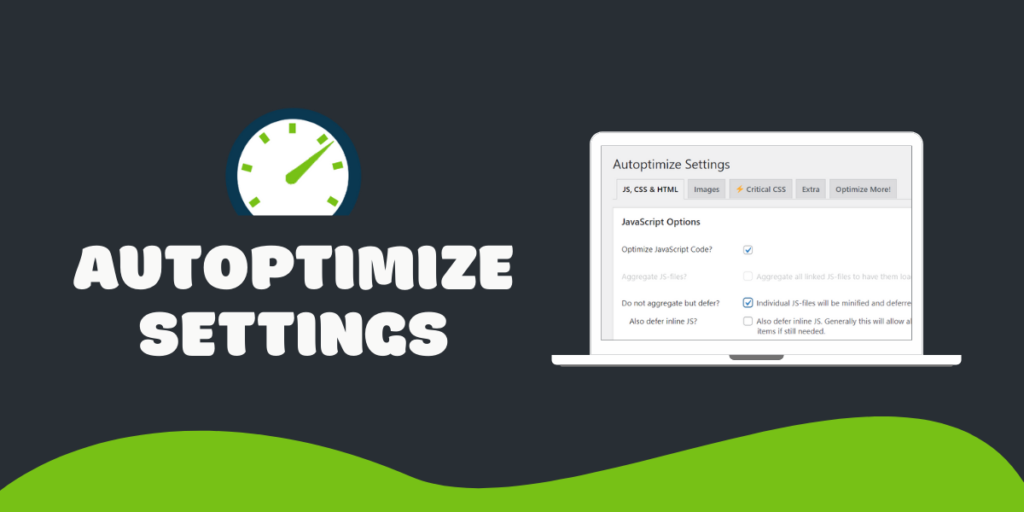
Autoptimize is a unique plugin that goes beyond traditional caching by focusing on optimization. While it doesn’t perform page caching itself, it works in tandem with caching plugins to optimize your site’s HTML, CSS, and JavaScript files. Autoptimize minifies and combines these files, reducing their size and improving load times.
The plugin also offers lazy loading for images and support for Google Fonts optimization. By optimizing these elements, Autoptimize can significantly enhance your site’s performance. It’s particularly useful when used alongside a caching plugin, providing a comprehensive performance boost.
5. Hummingbird: All-in-One Performance Optimization
Hummingbird by WPMU DEV is an all-in-one performance optimization plugin that includes caching among its many features. It offers page caching, browser caching, and Gravatar caching, along with tools for asset optimization and performance monitoring. Hummingbird also includes a performance report feature that provides insights and recommendations for further improvements.
One of Hummingbird’s standout features is its integration with the Smush image optimization plugin, also by WPMU DEV. This integration allows you to optimize your site’s images without needing a separate plugin, further enhancing performance. Hummingbird’s user-friendly interface and comprehensive feature set make it a great choice for those seeking an all-in-one solution.
6. LiteSpeed Cache: Ideal for LiteSpeed Servers

LiteSpeed Cache is a powerful caching plugin specifically designed for sites hosted on LiteSpeed servers. It offers a wide range of features, including server-level caching, which provides superior performance compared to traditional caching methods. LiteSpeed Cache supports various caching types, such as page caching, object caching, and browser caching.
The plugin also includes optimization features like minification, lazy loading, and image optimization. LiteSpeed Cache is fully compatible with popular WordPress plugins and themes, making it a versatile choice for any site hosted on a LiteSpeed server. Its advanced caching capabilities and optimization features make it a top choice for performance-conscious site owners.
7. Cache Enabler: Lightweight Yet Powerful
Cache Enabler by KeyCDN is a lightweight caching plugin that offers powerful performance improvements without the complexity of more feature-rich plugins. It generates static HTML files and stores them on the server, reducing load times and server resource usage. Cache Enabler also supports WebP image format, further enhancing performance.
The plugin’s simplicity makes it an excellent choice for beginners, while its robust performance capabilities make it suitable for more advanced users. Cache Enabler includes automatic cache clearing, customizable cache expiry settings, and integration with popular CDN services. Its balance of simplicity and performance makes it a compelling option for any WordPress site.
8. Comet Cache: Easy Setup and Maintenance

Comet Cache is a user-friendly caching plugin designed to provide excellent performance improvements with minimal setup. It creates static HTML versions of your pages and posts, reducing the load on your server and speeding up your site. Comet Cache includes features like automatic cache expiration, client-side caching, and support for CDN integration.
The plugin’s easy setup and maintenance make it a great choice for users who want a “set it and forget it” solution. Comet Cache also offers advanced options for those who want more control over their caching settings. Its blend of simplicity and advanced features makes it a versatile choice for a wide range of users.
9. Breeze: A Cloudways Product

Breeze is a free caching plugin developed by Cloudways, a managed cloud hosting platform. It offers a simple and intuitive interface, making it easy to set up and use. Breeze includes features like file-level caching, database optimization, and minification of CSS, JavaScript, and HTML files. The plugin also supports Varnish cache integration, providing additional performance enhancements.
Breeze’s user-friendly design and robust feature set make it a great choice for beginners and experienced users alike. Its integration with Cloudways hosting platform ensures optimal performance for sites hosted on Cloudways. Breeze’s combination of simplicity and performance makes it a standout choice for WordPress caching.
10. Swift Performance: Advanced Caching Features
Swift Performance is a comprehensive caching and optimization plugin that offers a wide range of features to enhance your site’s performance. It includes page caching, database optimization, and asset optimization, along with advanced features like script and style management. Swift Performance also supports lazy loading, browser caching, and CDN integration.
The plugin’s advanced features make it suitable for users who want fine-grained control over their caching and optimization settings. Swift Performance’s user-friendly interface and extensive documentation make it accessible to beginners, while its powerful capabilities make it a top choice for advanced users. Its comprehensive feature set and performance enhancements make it a valuable tool for any WordPress site.
11. Hyper Cache: Best for Low Resource Usage
Hyper Cache is a caching plugin designed to provide excellent performance improvements with minimal server resource usage. It generates static HTML files for your dynamic content, reducing server load and speeding up your site. Hyper Cache is optimized for low resource usage, making it an ideal choice for sites on shared hosting or with limited resources.
The plugin includes features like automatic cache expiration, mobile device support, and integration with popular CDN services. Hyper Cache’s lightweight design and robust performance capabilities make it a great choice for users looking for a simple yet effective caching solution. Its focus on low resource usage and high performance makes it a standout option for any WordPress site.
Comparative Analysis: Which Plugin is Best for You?
Choosing the best caching plugin for your WordPress site depends on your specific needs and preferences. WP Rocket is the best choice for users who want a premium, feature-rich plugin with excellent support. W3 Total Cache is ideal for advanced users who want fine-grained control over their caching settings.
For those seeking simplicity, WP Super Cache and Cache Enabler are excellent choices, offering robust performance improvements with minimal configuration. Autoptimize and Swift Performance are great for users who want comprehensive optimization features beyond traditional caching. LiteSpeed Cache is the top choice for sites hosted on LiteSpeed servers, while Breeze offers excellent performance for sites hosted on Cloudways.
Comet Cache and Hyper Cache are ideal for users who want easy setup and maintenance, with Hyper Cache being particularly suitable for sites with limited resources. Each of these plugins offers unique features and benefits, making it essential to choose the one that best meets your site’s specific needs.
Also Read: How to Create a Job Board with WordPress?
Best Practices for Using Caching Plugins
To get the most out of your caching plugin, it’s important to follow best practices. Firstly, always test your site’s performance before and after installing a caching plugin to measure its impact. Use tools like Google PageSpeed Insights or GTmetrix to assess performance improvements.
Regularly update your caching plugin to ensure compatibility with the latest WordPress version and other plugins. This helps avoid conflicts and security issues. Also, consider combining your caching plugin with other optimization tools, such as image optimization plugins and CDN services, for comprehensive performance enhancements.
Be mindful of your cache settings and avoid over-caching, which can lead to outdated content being served to users. Regularly clear your cache to ensure that the latest content is always displayed. Finally, monitor your site’s performance and adjust your caching settings as needed to maintain optimal performance.
Common Issues with Caching Plugins and How to Fix Them?
While caching plugins can significantly improve your site’s performance, they can also cause issues if not configured correctly. One common issue is the “white screen of death,” where your site becomes inaccessible. This can often be resolved by clearing your cache and disabling the caching plugin.
Another issue is outdated content being served to users. This can be fixed by adjusting your cache expiration settings and regularly clearing your cache. Compatibility issues with other plugins or themes can also arise, so it’s important to test your site thoroughly after installing a caching plugin.
If you encounter issues, consult the plugin’s documentation and support forums for solutions. Many caching plugins offer detailed guides and troubleshooting tips to help resolve common problems. By following best practices and being proactive in addressing issues, you can ensure that your caching plugin provides the best possible performance improvements.
Must Read: The Best WordPress Plugins for Increasing Site Speed
Future Trends in WordPress Caching
The future of WordPress caching is likely to see continued advancements in performance optimization. Emerging technologies like serverless computing and edge caching are expected to play a significant role in enhancing site speed and reliability. These technologies reduce the reliance on traditional servers, distributing content closer to users for faster delivery.
AI and machine learning are also expected to influence caching strategies, enabling more intelligent and adaptive caching solutions. These technologies can analyze user behavior and site traffic patterns to optimize cache settings dynamically, ensuring optimal performance at all times.
Furthermore, integration with other performance optimization tools and services is likely to become more seamless, providing users with comprehensive, all-in-one solutions for site speed and performance. As these trends evolve, staying informed and adopting new technologies will be key to maintaining a fast and efficient WordPress site.
Frequently Asked Questions
What is the best WordPress caching plugin?
The best WordPress caching plugin depends on your specific needs. WP Rocket is highly recommended for its ease of use and powerful features. W3 Total Cache and WP Super Cache are also popular choices.
How does a caching plugin improve website speed?
A caching plugin creates static versions of your dynamic content, reducing the need for server-side processing and database queries, which speeds up page load times.
Can I use multiple caching plugins on my WordPress site?
It’s generally not recommended to use multiple caching plugins simultaneously, as they can conflict with each other and cause issues. Choose one comprehensive plugin that meets your needs.
Are there free caching plugins available?
Yes, there are several free caching plugins available, such as W3 Total Cache, WP Super Cache, and Cache Enabler, which offer robust performance improvements.
How often should I clear my cache?
The frequency of clearing your cache depends on how often you update your site. Regularly clearing your cache ensures that the latest content is served to users.

